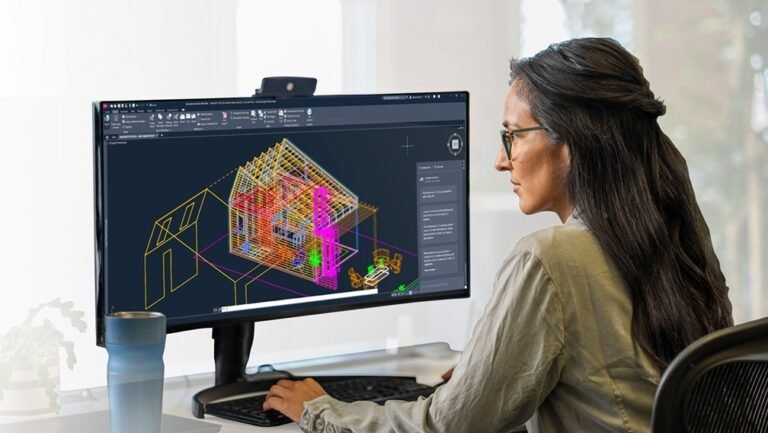


AutoCAD crashes on complex projects are rarely “mystery bugs.” In many firms, the pattern emerges when teams open large DWG files with heavy external references (Xrefs) across a VPN, or when underpowered graphics configurations run out of video memory during 3D work. The outcome is operationally consistent: freezes, timeouts, corrupted files, and “fatal error” failures that interrupt billable drafting time under deadline pressure. ArchIT
This article breaks down the infrastructure decisions that prevent these crashes: data proximity, high-frequency CPU sizing for AutoCAD’s threading behavior, and vGPU-backed cloud desktops with appropriate frame buffer sizing.
The Crash Trigger: Large DWGs over VPN (Data Gravity + Latency)
A primary cause of AutoCAD freezing in remote setups is opening large datasets over VPNs when DWG files depend on heavy Xrefs stored on a remote file server. The issue applies beyond raw bandwidth. Research highlights latency in the back-and-forth communication between the local application and the remote file server, which often leads to timeouts and file corruption. ArchIT
Cloud desktops change this path. The AutoCAD session runs close to the storage, and the remote user receives pixels rather than pulling project data back and forth over the VPN. This moves compute next to data to remove the network bottleneck created by remote file access patterns. ArchIT
Why High Core Counts Fail to Stop AutoCAD Instability
AutoCAD is predominantly single-threaded. In practical sizing terms, this creates a common VDI failure mode where standard VM templates prioritize core count while sacrificing per-core clock speed. The result is a laggy interactive session that users interpret as “AutoCAD struggling,” even when total CPU allocation appears generous. Puget Systems
Successful VDI configurations for AutoCAD require specific sizing:
- High-frequency vCPUs: Clock speeds of 3.0 GHz+ are often required to prevent bottlenecks.
- GPU acceleration: This handles viewport regeneration behavior, reducing lag during zooming and panning. Puget Systems
Autodesk explicitly lists virtualization in AutoCAD 2024 system requirements. They validate virtualized environments, including Citrix and VMware, provided hardware acceleration requirements are met. This distinction is critical for IT teams trying to separate “VDI is unsupported” from “VDI was underspecified.” Autodesk Support
VRAM Exhaustion Is a Known Crash Path
Complex 3D modeling and rendering stability relies heavily on dedicated video memory. When VRAM is exhausted on local hardware, AutoCAD workloads frequently crash. A common failure mode is driver timeout behavior (TDR), which occurs when graphics hardware is undersized for the workload. NVIDIA
GPU-powered cloud desktops address this by using GPU virtualization to allocate dedicated vGPU profiles with defined frame buffers. Examples of vGPU profile sizing include 4GB, 8GB, or 16GB frame buffers mapped to workload needs. This prevents the instability caused by running out of video memory. NVIDIA
For VDI teams designing the graphics stack, the Horizon 8 3D graphics architecture documentation offers a useful reference point for deploying 3D workloads in virtual desktop environments. Omnissa Tech Zone
Driver Stability: Enterprise GPU Drivers and Certification
Some crash patterns depend on the driver rather than the hardware model. Cloud VDI environments typically use enterprise or data center GPU drivers that are tested and certified by Autodesk. This reduces “Unhandled Exception” crash frequency tied to consumer-grade driver conflicts often found on unmanaged endpoints. NVIDIA
Operationally, this shifts the stability problem away from distributed laptops with inconsistent driver states and toward a centralized image and driver management practice.
Choosing the Right Delivery Model: Persistent Desktops vs. DaaS
For high-end AEC workloads, persistent VDI is often preferred over non-persistent designs. Persistent models preserve user desktop state, including custom AutoCAD configurations, plug-in settings, and local caching performance. Engineering.com
Desktop as a Service (DaaS) models are gaining traction because they shift the burden of maintaining the complex GPU hardware stack to the provider. These reliability models rely on vGPU partitioning so multiple engineers can share a physical GPU when profile sizing is correct. Engineering.com
Operational drivers for these models include:
- IP protection: Keeping CAD files in the cloud (VDI) supports stricter control over design data compared to syncing files to local laptops. AEC Magazine
- Scaling project teams: Cloud workstations allow firms to onboard contractors without shipping physical hardware. This reduces logistics delays when projects expand. Engineering.com
Cost and lifecycle analysis also favors cloud resources. High-performance physical workstations are cited at $3,000–$5,000 with depreciation over 3–4 years, while local hardware often becomes obsolete for the newest AutoCAD version within 2 years. Cloud resources can be upgraded through a software change, such as adding RAM or a newer GPU profile. Engineering.com
Validation Checklist for GPU-Powered Cloud Desktops
To reduce crashes on complex projects, focus on design checks that address specific AutoCAD requirements rather than generic VDI best practices.
1. Place the desktop near the data If users open Xref-heavy DWGs over VPN, validate whether the workflow relies on remote file server access strategies. Moving compute close to storage reduces timeouts and corruption. ArchIT
2. Size for clock speed, not just core count AutoCAD’s single-threaded behavior makes high-frequency CPU priority over high core counts. A stated target is 3.0 GHz+ vCPU frequency. Puget Systems
3. Treat vGPU frame buffer as a stability control Validate vGPU profile sizing for 3D modeling and rendering. Allocations like 4GB, 8GB, or 16GB are tied directly to preventing VRAM exhaustion and TDR-related failures. NVIDIA
4. Standardize on enterprise GPU drivers Use enterprise/data center GPU drivers certified for Autodesk workflows. This reduces crash frequency compared to consumer-grade driver sprawl. NVIDIA
5. Match the desktop model to CAD reality If users depend on plug-ins and customized configurations, using non-persistent images may force rework or configuration drift. Persistent VDI is often preferred for these AEC workloads. Engineering.com
6. Account for interaction sensitivity AutoCAD is highly latency-sensitive. Mouse lag greater than 50 ms disrupts precision drafting. Protocol design choices must emphasize transmitting pixels rather than data. Autodesk Support
For teams evaluating managed DaaS options, vendor due diligence should include operational controls that support stable CAD delivery at scale. Infrastructure leaders typically assess service reliability, GPU resource management, performance consistency, monitoring capabilities, and 24/7 operational support when transitioning GPU workstations to vGPU-powered VDI solutions within a centralized cloud environment.
Conclusion
Research consistently ties AutoCAD instability to infrastructure mismatches regarding data access and hardware allocation.
- Remote file access over VPN for Xref-heavy DWGs increases timeout and corruption risk. ArchIT
- Single-threaded behavior demands high-frequency CPUs rather than increased core counts. Puget Systems
- VRAM exhaustion drives crash frequency in complex 3D workloads, requiring defined vGPU frame buffers. NVIDIA
If crashes increase as projects become heavier, audit where the workload runs relative to the data. Then, validate CPU clock targets and vGPU frame buffer sizing against real project behavior.